Before physical red team assessors ever set foot on-site, they build a detailed picture of a target facility using nothing but publicly available information. This blog walks through how organisations unknowingly expose their entry points, badge designs, security vendor relationships, and physical blind spots through everyday public sources. The core message is straightforward — the information needed to plan a physical intrusion already exists in public view, and understanding that exposure is the first step toward closing it.
There is a scene that plays out regularly in physical security assessments. A consultant walks into a company's headquarters, smiles at the receptionist, holds up a clipboard, and says something like "I was sent here by the CISO — this is regarding a Network Audit" Thirty seconds later they are walking past the security desk, badge tucked to their waist, heading for the server room.
No hacking. No lockpicks. No dramatic moment.
What made it work was not the clipboard. It was the hours of research done the week before — research conducted from a laptop, using information the company itself had made publicly available.
This is what reconnaissance looks like in a modern physical red team engagement. Before any tester sets foot near your building, they already know which entrance has the weakest camera coverage, what your employee badges look like, which vendors you use, and what time your morning rush creates the best tailgating window.
This post walks through that process — what information is out there, where it lives, and what it tells a trained assessor about your physical security posture.
Mapping the Building Before You Visit It
Before stepping on-site, physical testers often start with the same tools used for navigation—Google Maps, Apple Maps, and Bing Maps. Used with an adversarial mindset, these platforms provide surprisingly detailed facility intelligence that many organizations overlook.
What Mapping Tools Actually Reveal
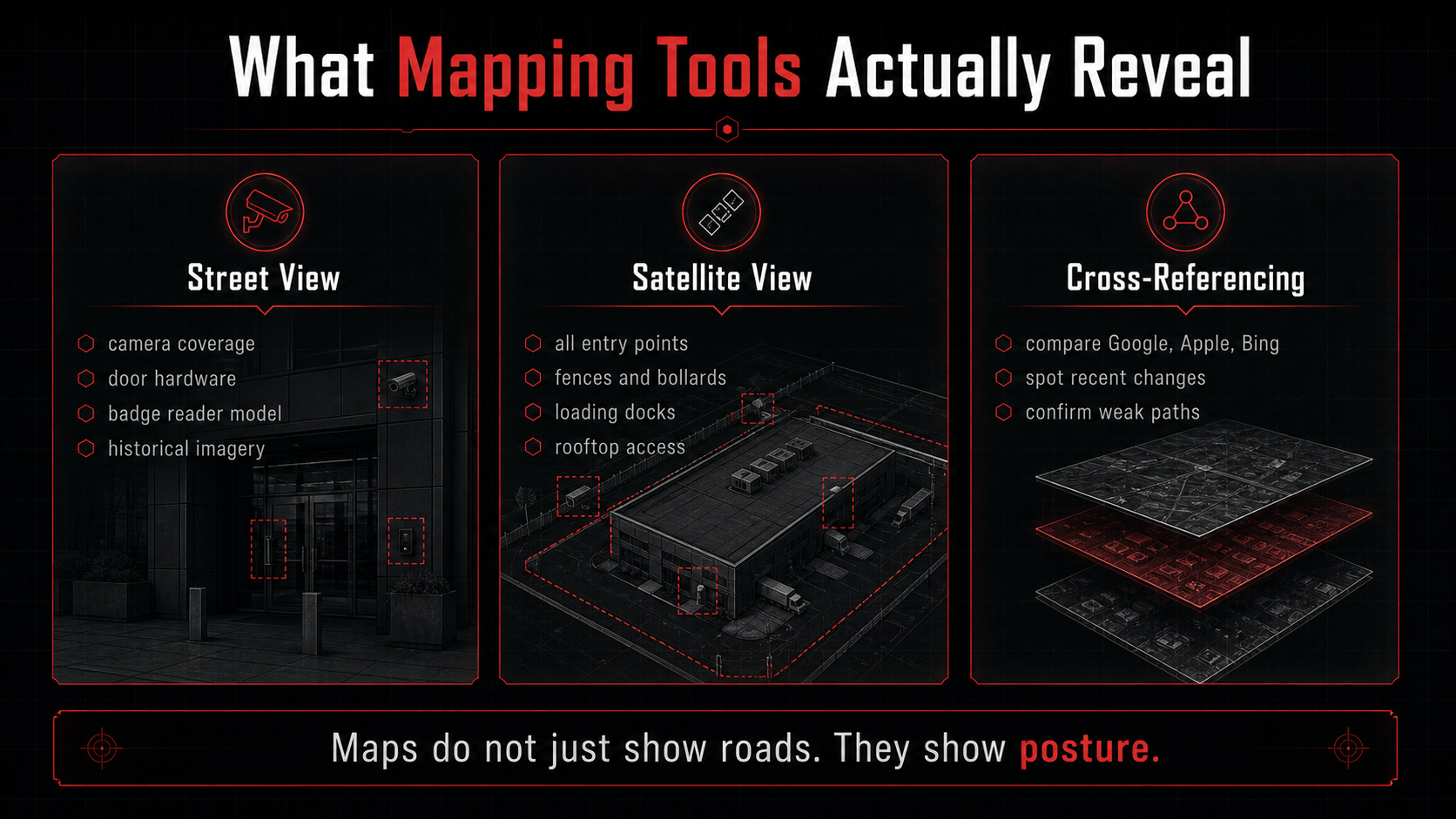
Most people use mapping platforms to find their way around — but viewed through an adversarial lens, the same tools reveal more about a building's security posture than most organisations would be comfortable knowing.
Street View (ground-level intelligence)
Street-level imagery exposes security controls in plain sight. Camera types and placements—dome, PTZ, or bullet—can often be identified, helping assess coverage gaps and blind spots. Door hardware is also visible: electric strikes, magnetic locks, and manual deadbolts each imply different access behaviors and potential weaknesses. Badge readers are frequently clear enough to identify brand and model, which can inform known bypass techniques or historical vulnerabilities.
The historical imagery feature (e.g., the timeline option in Street View) adds another layer. Older captures may show temporary access points, construction layouts, or unsecured entryways that hint at lasting structural or procedural changes.
Satellite View (perimeter and access mapping)
Satellite imagery provides a macro perspective of the site. It helps map all entry points—not just the main gate, but loading docks, fire exits, pedestrian paths, and service entrances. It also reveals perimeter defenses (fences, walls, bollards) and access flows, such as whether parking areas allow approach paths that bypass primary checkpoints.
Why Cross-Referencing Matters?
Each platform updates imagery on different schedules. Comparing Google Maps, Apple Maps, and Bing Maps can highlight discrepancies that indicate recent changes—new gates, removed barriers, or building expansions. These differences often provide early insight into evolving security posture.
What to look for: number and type of all entry and exit points, camera coverage and blind spots, perimeter fencing type and gaps, loading dock positions and their proximity to monitoring, rooftop access features, neighbouring buildings that share a perimeter or car park, and any evidence of recent construction or layout changes.
What Your Employees Are Telling Strangers Without Knowing It
People are not naturally secretive about their working lives. They post about promotions, share photos at the Christmas party, film office tour videos for recruitment content, and review their favourite lunch spot mentioning where they work. None of this feels like a security concern. From a physical assessment perspective, the aggregate picture it builds is remarkable.
Platforms like LinkedIn act as a structured source of personnel intelligence, effectively exposing a company’s informal org chart. By reviewing employee listings, you can identify key roles, team structures, and who is responsible for functions like security or facilities—without any direct interaction.
Profile photos provide practical context beyond job titles. Images taken in office settings often reveal dress norms, use of branded clothing, and even department-specific differences. In many cases, badges are partially visible in posts or “first day” updates, offering clues about badge design, colour coding, and how identity is presented within the organization.
Job titles and hiring patterns also indicate the maturity of a company’s security programme. Clearly separated roles for physical security and access management suggest a more structured approach, while broader, combined responsibilities may point to less formalized controls—something that directly influences how an assessment is approached.
Instagram and Facebook
Instagram's location tagging feature aggregates every public post made from a specific address. Searching a company's building location returns photos posted by employees, visitors, delivery staff, and contractors — a cross-section of everyone who passes through.
From this content, a tester builds an understanding of the physical interior that no floor plan would provide. Lobby photos show where the reception desk sits relative to the lifts, where the visitor sign-in happens, and how interior doors are positioned. Event photos from all-hands meetings or office parties show spaces rarely captured in official communications.
Video platforms like YouTube are an overlooked source of facility intelligence. Companies often publish office tours for branding and recruitment, offering detailed walkthroughs of their spaces. Employee-produced content is often more useful still. "Day in my life" videos filmed at work show real badge-in processes, real floor layouts, and real security checkpoint behaviour in a way that polished marketing videos do not.
Off-Site — Nearby Cafes, Shops, and Lunch Spots
Some of the best physical intelligence comes from locations that have nothing to do with the target building.
Employees are different people away from work. At the cafe around the corner at lunchtime, or the general store nearby, they are relaxed. They are not thinking about security. And this is precisely when a physical assessor conducting drive-by reconnaissance observes them.
In these environments it becomes clear what employees actually wear day-to-day rather than what they wear in polished LinkedIn photos. It also reveals something important: whether employees wear their access badges outside the building. A significant proportion of employees carry their badge clipped to a belt or worn around their neck throughout the lunch hour. This is a meaningful security observation — it indicates that badge replication or close-range cloning is more feasible than it would be in a building where badges are strictly pocketed outside.
Conversation in public spaces is also a source of operational intelligence. Casual comments about IT systems, access problems, upcoming office moves, or contractor relationships provide context that shapes how a pretext is constructed.
Google Maps reviews for businesses near the target office sometimes include explicit mentions of the company by name — employees describing their working day in a restaurant review are an unexpected but real source of organisational information.
Glassdoor
Disgruntled employees write remarkably candid reviews. A search for a company on Glassdoor regularly surfaces descriptions of physical security weaknesses that employees mention without realising their significance.
"The badge readers on the third floor have been broken for months," "security is pretty lax, you can walk right in most days," or "the fire exit is always propped open because smokers use it" are real examples of the kind of information that appears in employee review content. These are direct, first-person accounts of exploitable weaknesses, often specific to particular sites or floors.
Job Postings as an Intelligence Source
This is one of the most consistently underestimated reconnaissance vectors, and it requires no social engineering whatsoever.
When a company advertises for staff, it describes the environment those staff will work in. An IT Security Engineer role describes the security products the successful candidate will manage — naming specific vendors, platforms, and systems. A Facilities Manager role lists the access control vendors used on-site. A Receptionist or Front Desk role describes the visitor management system the new hire will operate.
Technical Sources Most People Do Not Think About
Not all intelligence comes from what is physically visible — some of the most valuable findings in a physical assessment come from what an organisation has unknowingly left exposed online.
Shodan and Internet-Exposed Security Devices
Shodan is a search engine for internet-connected devices. For physical security purposes, it is a way of finding devices that should never have been reachable from the internet at all.
This includes networked security cameras (often Axis, Hikvision, or Dahua models) that are accessible with factory-default credentials, access control panels that have been misconfigured to face the public internet, building management systems that control HVAC, lighting, and in some cases door release mechanisms, and networked intercoms or VoIP door controllers that accept unauthenticated connections.
Finding a building management system accessible from the internet with default credentials is not a hypothetical risk. It appears in physical red team reports with meaningful regularity.
Document Discovery
Structured searches against a company's own website surface documents that were never intended to be publicly indexed. Emergency evacuation plans are a particularly significant example — these documents, uploaded to internal systems and accidentally indexed by search engines, frequently include full floor plans showing stairwells, server room locations, emergency exit positions, and assembly points. This is more detail than most publicly available building information provides.
Policy documents, security procedures, and visitor guidelines occasionally surface through the same method and provide direct insight into the processes a tester will encounter on-site.
Certificate Transparency Logs
Every SSL certificate issued for a website is logged in a public transparency database. Tools that query these logs enumerate subdomains of a target domain. Subdomains named `cameras.company.com`, `access.company.com`, `bms.company.com`, or `cctv.company.com` occasionally resolve to login portals for physical security systems — sometimes with weak or unchanged default credentials.
Public Records
For publicly listed companies, regulatory filings list all facility addresses — not just the headquarters but secondary offices, warehouses, storage facilities, and disaster recovery sites. Secondary sites consistently have weaker physical security than primary locations and are a standard entry point in physical assessments.
Municipal building permit databases are publicly searchable in most jurisdictions and reveal recent construction activity. A permit for a new server room, a building extension, or a significant renovation describes changes to the facility's layout before those changes appear on any mapping platform.
On-the-Ground Reconnaissance Before the Engagement
Desktop OSINT is followed by in-person observation conducted from public areas before the formal engagement begins. This involves no trespass — it is observation from public roads, car parks, and nearby businesses.
Gate and Entry Point Assessment
Walking or driving the perimeter at different times reveals which intelligence gathered remotely is accurate and which needs updating. The number of gates — vehicle gates, pedestrian access points, loading docks, fire exits — is confirmed. The monitoring status of each is observed: which gates are staffed, which are badge-only, and which are functionally unmonitored during certain hours.
Indicators of reduced security rigour are noted: readers that appear non-functional, cameras with obvious blind spots, gates propped open during delivery windows, or pedestrian access points that receive no meaningful oversight.
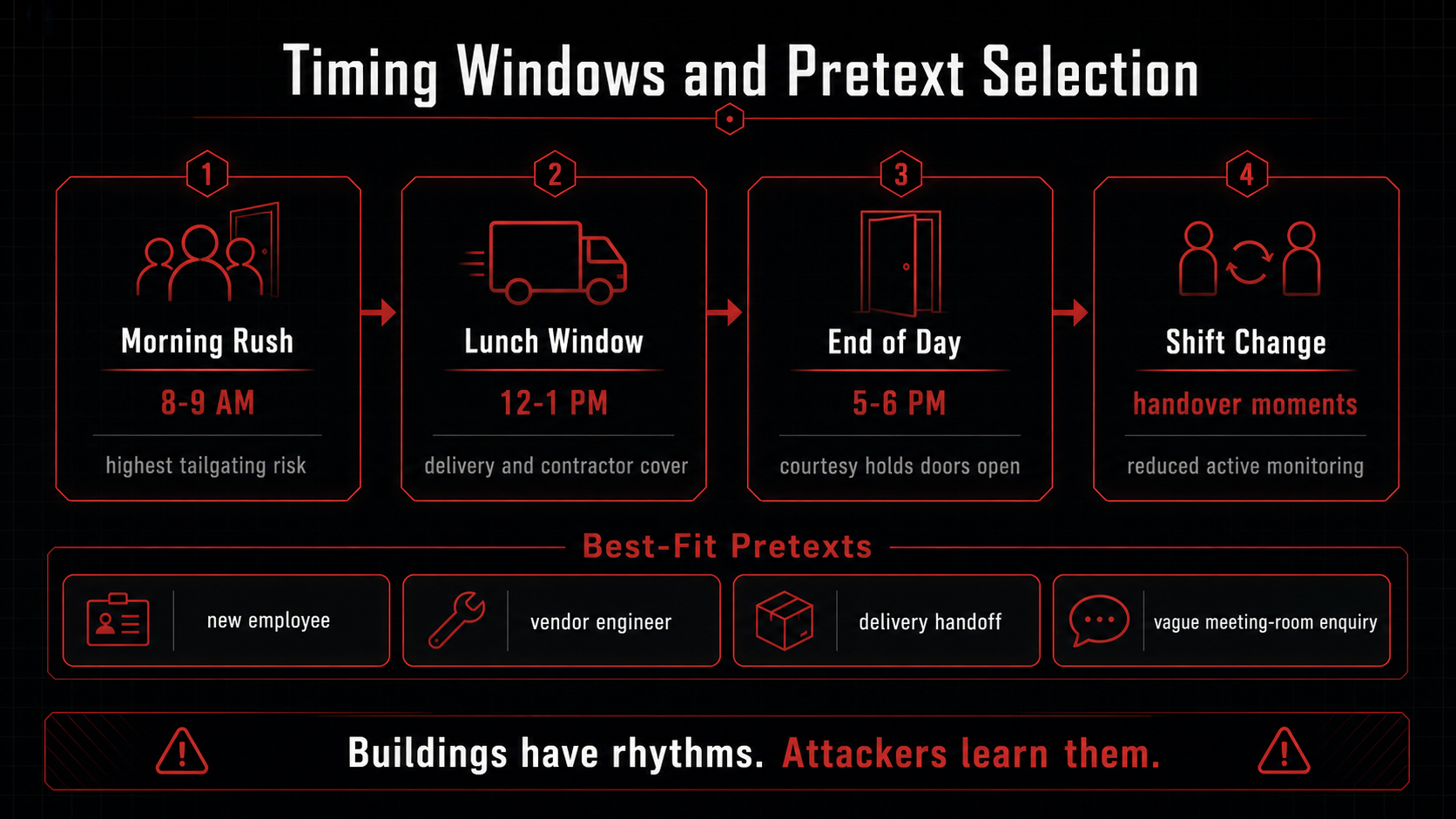
Timing and Behaviour Windows
Physical environments have rhythms. The morning rush between 8 and 9 AM, when a building fills quickly and badge readers are processing people continuously, is consistently the highest-risk period for tailgating — following someone through a door without badging yourself. Security staff managing volume are less likely to challenge individuals who move with purpose.
The lunch window between noon and 1 PM brings delivery drivers, catering staff, and contractors into and out of the building in larger numbers than at other times of day. Doors are held open more frequently. Front desk staffing sometimes reduces.
End of day between 5 and 6 PM combines reduced alertness with departing staff who habitually hold doors for people behind them as a courtesy.
Shift changes for security staff create brief windows where handover conversations reduce active monitoring. The timing of these shifts is often visible through observation across two or three visits.
A Lobby Walk-In
Entering the lobby as a casual visitor is a standard reconnaissance step. Someone asking for directions, waiting to meet a contact, or making a vague enquiry about booking a meeting room provides an opportunity to observe the visitor process directly.
How does the receptionist respond to an unannounced visitor? Is there a sign-in process, and if so, does it use a digital system with pre-registration, a paper log, or nothing at all? Are visitors issued a badge, and what does it look like? Are visitors escorted beyond the reception area, or left to navigate independently after signing in? How many interior cameras are visible from the lobby? What hardware is on the doors beyond reception?
These observations take less than five minutes and directly answer questions that desktop reconnaissance cannot fully resolve.
Putting It Together: Pretext Development
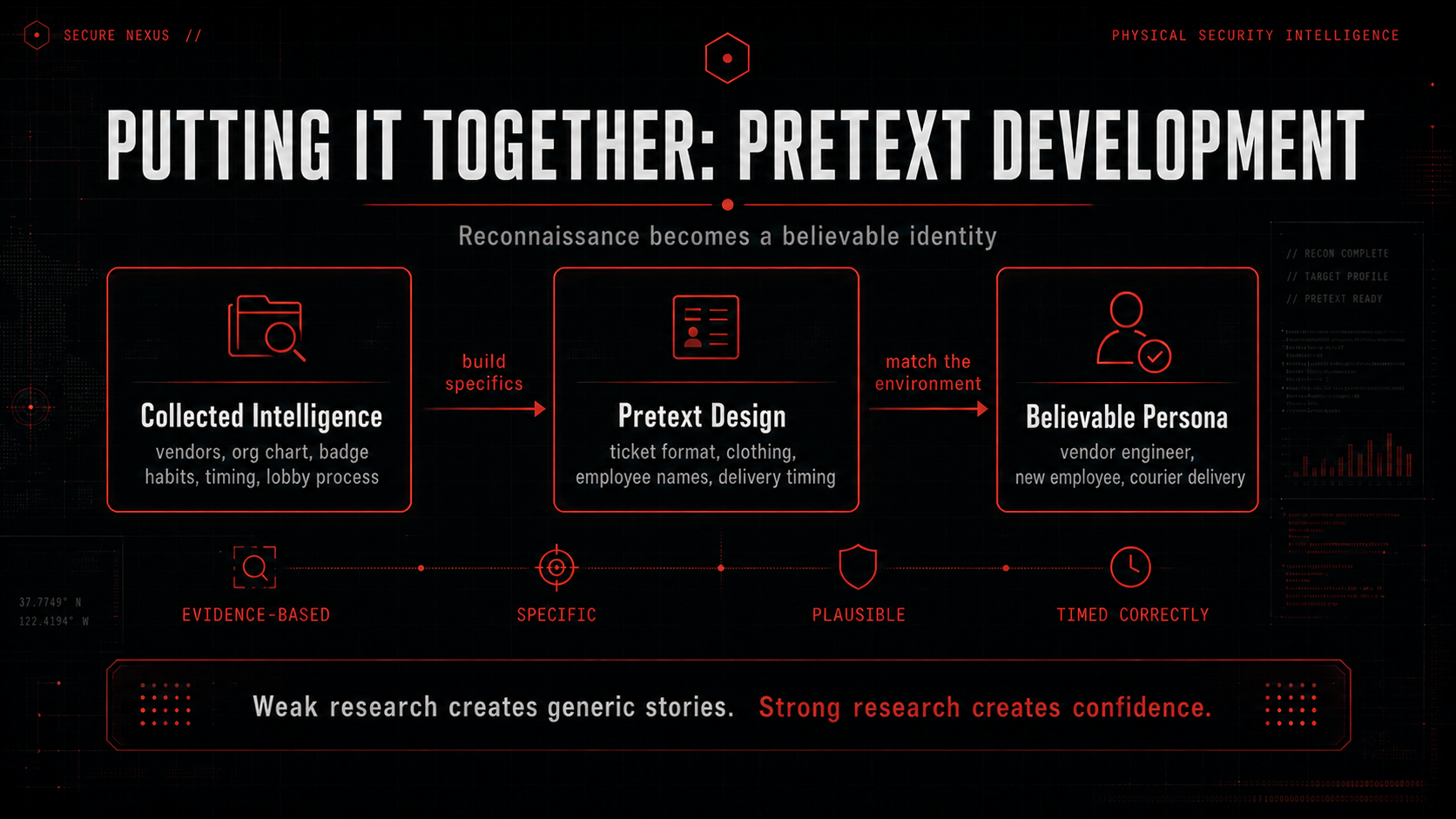
Everything gathered across the preceding phases feeds into the construction of a believable cover identity for the engagement itself. This is not a generic costume — it is a specific, evidence-based character built from real intelligence about the target.
A vendor impersonation pretext works because the vendor was identified by name in a job posting or LinkedIn profile. The work order references a ticket format consistent with the company's actual helpdesk system. The clothing matches what the vendor's engineers actually wear. The name dropped in conversation is a real employee found through organisational mapping.
A new employee pretext works because hiring volume on LinkedIn indicates a period of rapid growth, and the department targeted has recently expanded. The person's name and rough start date are plausible because the LinkedIn data supports them.
A delivery pretext works because Instagram geotags showed that a particular courier service makes regular deliveries to the building at a specific time of day.
The quality of the pretext is a direct function of the quality of the reconnaissance. Weak research produces generic pretexts that experienced security staff will question. Thorough research produces specific, confident personas that hold up under scrutiny.
What This Means Practically
The techniques described in this post require no specialist tools, no illegal access to systems, and no information beyond what organisations and their employees have placed in public view. They are a structured application of critical thinking to widely available sources.
The uncomfortable reality for most organisations is that this research can be completed in a matter of hours and produces a detailed operational picture of their physical security environment — including its weaknesses — before anyone has approached a door.
A physical red team assessment conducts this process in a controlled environment with authorisation and reporting. The output is not embarrassment but evidence: specific, documented findings that security teams and facilities managers can act on.
The alternative is that this research is conducted by someone who did not ask permission first.
Where to Go From Here
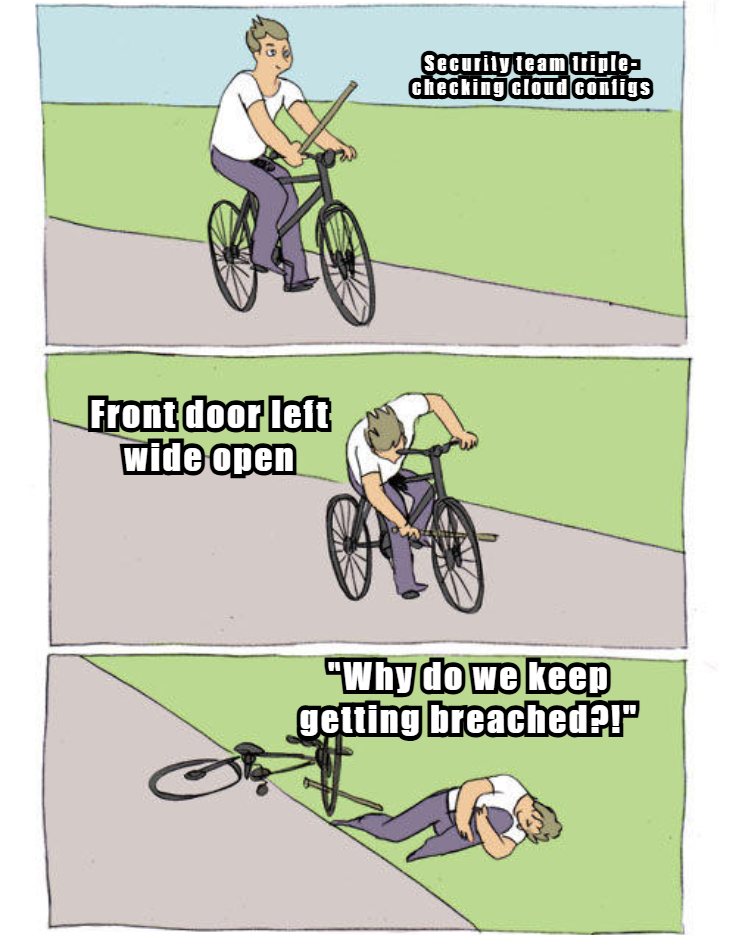
If your organisation has not assessed its physical security posture with the same rigour it applies to its network or endpoint security, the OSINT phase described here is a useful starting point for understanding your exposure.
Conducting a structured internal review of what is publicly visible about your facilities, your employees' badges, your vendor relationships, and your entry point timing is something any security team can begin without an external engagement. The question to ask is simple: if someone with no special access spent a day researching our organisation from a laptop, what would they know?
The answer to that question is the foundation of an effective physical security programme.
About the Author
Offensive security practitioner with a broad foundation across the cybersecurity domain, currently diving deep into malware analysis and red team tradecraft.